A Discord bot for task management!

A few days back, I created a Discord Bot solely for task management! A minimal bot with only what's required without any of those confusing functionalities. Just add, assign(if needed) and tick off.
You can get to know more at the Website
How to use it in your server?
The bot is published on top.gg and you can find it at https://kvnv.xyz/dtb. Just click on the invite button and follow the steps.

Prefix
Like most discord bots, the Task Manager bot has a prefix, t!.
Add a task
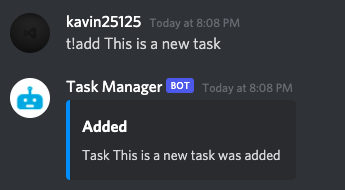
You can add a task by typing t!add <task>. You can also assign someone a task by mentioning them in the t!add command.
Examples:
t!add This is a new taskt!add This is a new task @mentioned-user
Assign someone to a task
This command was added to the bot on 29 March 2022.
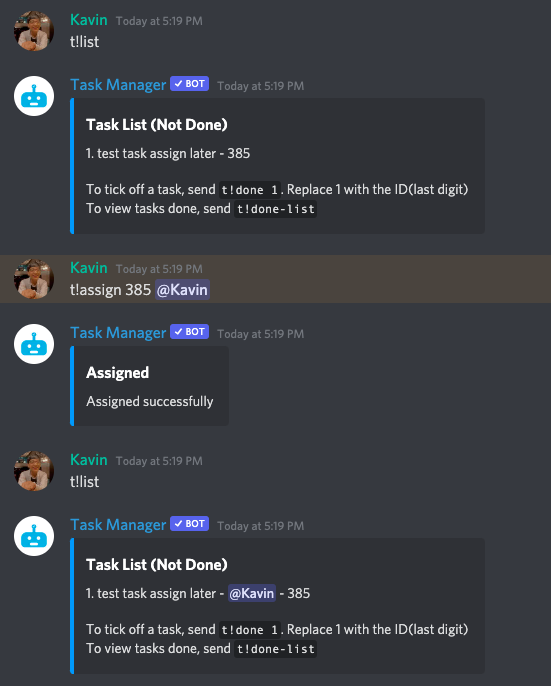
As mentioned above, you can of course assign a user to a task when creating the task. You can also assign a user to a task with the following command
t!assign <id of task> @mentionuser
List all tasks
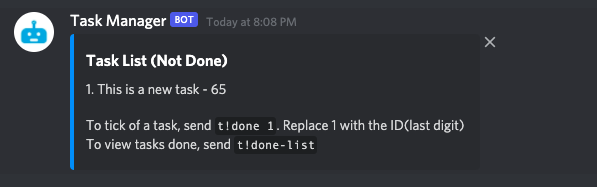
You can list all of the remaining tasks by typing t!list
Tick off a task
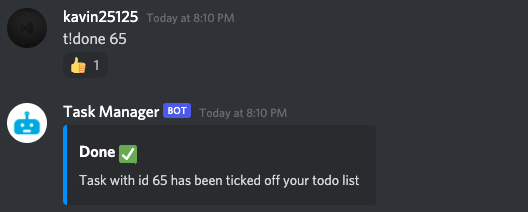
You can tick off a task from the list by typing t!done <id of task>. The ID of the task is the number which appears at the end of a task during t!list. In the screenshot attached earlier, it is 65
Show all done tasks
You can list all the tasks done by typing t!done-list
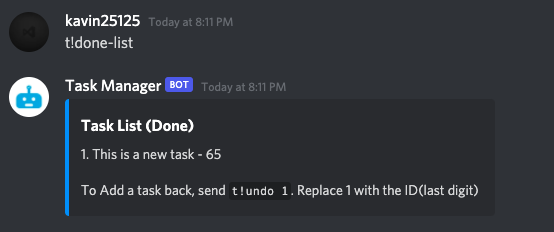
Remove a task from done and put it back in to be done
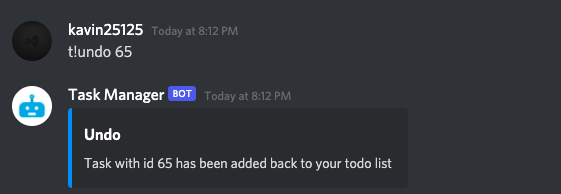
You can put a task back in the todo list by typing t!undo <id of task>
Help command
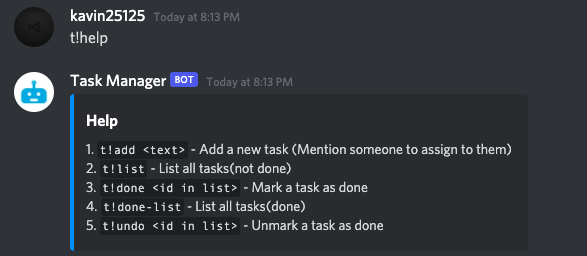
Finally, there is also a help command which lists all the commands you can use which you can get by typing t!help
That's it. And that's mostly everything you need in a task manager.
Note that the tasks are server specific and you cannot manipulate tasks across servers
Code
The code for the bot can be found at the following Github Repo. You're welcome to create any issues or contribute by creating a PR.
About the author
I am a developer from Delhi, India
Comments
Join the discussionSo far how I am using the bot is to create unassigned tasks that I intend for my staff to 'pick-up' and assign to themselves. I then realized that there is no function ( that I see ) to assign a task after it is made. Of course they can tick it as complete then recreate it and @themselves...... but that extra step..... you know....... will hinder that process itself. I really am not suggesting this become some over-bloated general bot..... it is the only functional issue that I think it is missing from otherwise very functional bot.
Hey Luke. I had it in mind to create a command for that. Thanks for bringing it up. Will add it in the span of a couple days.
I don't know much about the programming but there may be a function already left on the table that could have a condition modified to get this result...... When t!undo is applied to an item that is still in the list and has not been marked as done the dialog still states "Task with id 384 has been added back to your todo list". Which implies the function runs but the value matched so whether it overwrites or fails the condition it clearly wasn't a fail to function. SO..... possibly ..... if you wanted to ...... you could add assign as a variable for that function? t!undo 384 @BozemanLuke
Luke Walker Added this command to the bot. You can do something like this:
t!assign 384 @BozemanLuke