# How to make a frame isometric in Figma?
Figma is around for quite some time now. Many people are looking at it as a free alternative for Adobe Illustrator or Adobe XD. So, here's a post on how to make a isometric frame in Figma
# Normal Design
Start by choosing a frame and making a normal design. I have made this

# Start of with Isometric
- Click on the name of the frame on top of the frame to select it.

- On the left panel set angle to 45º like so
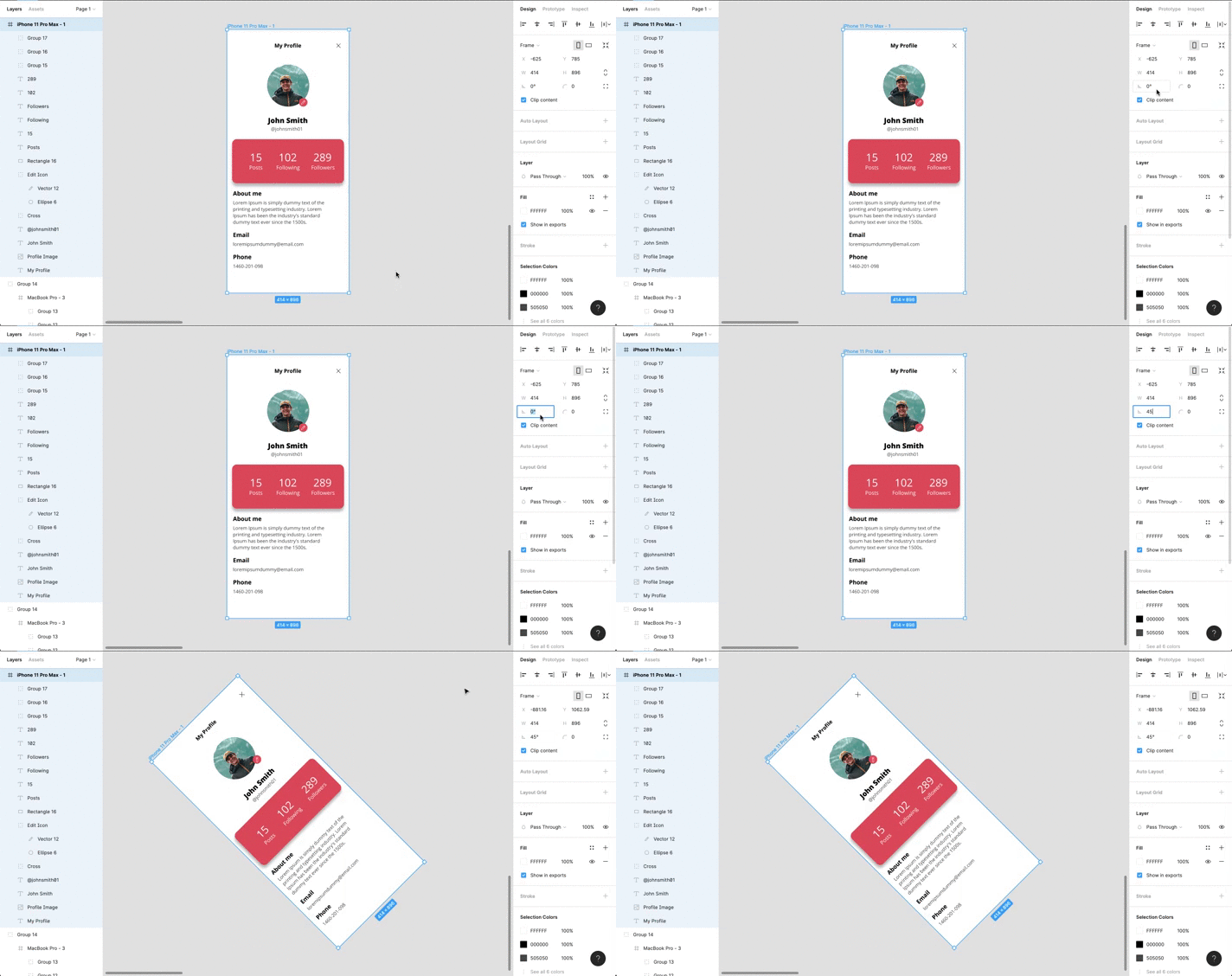
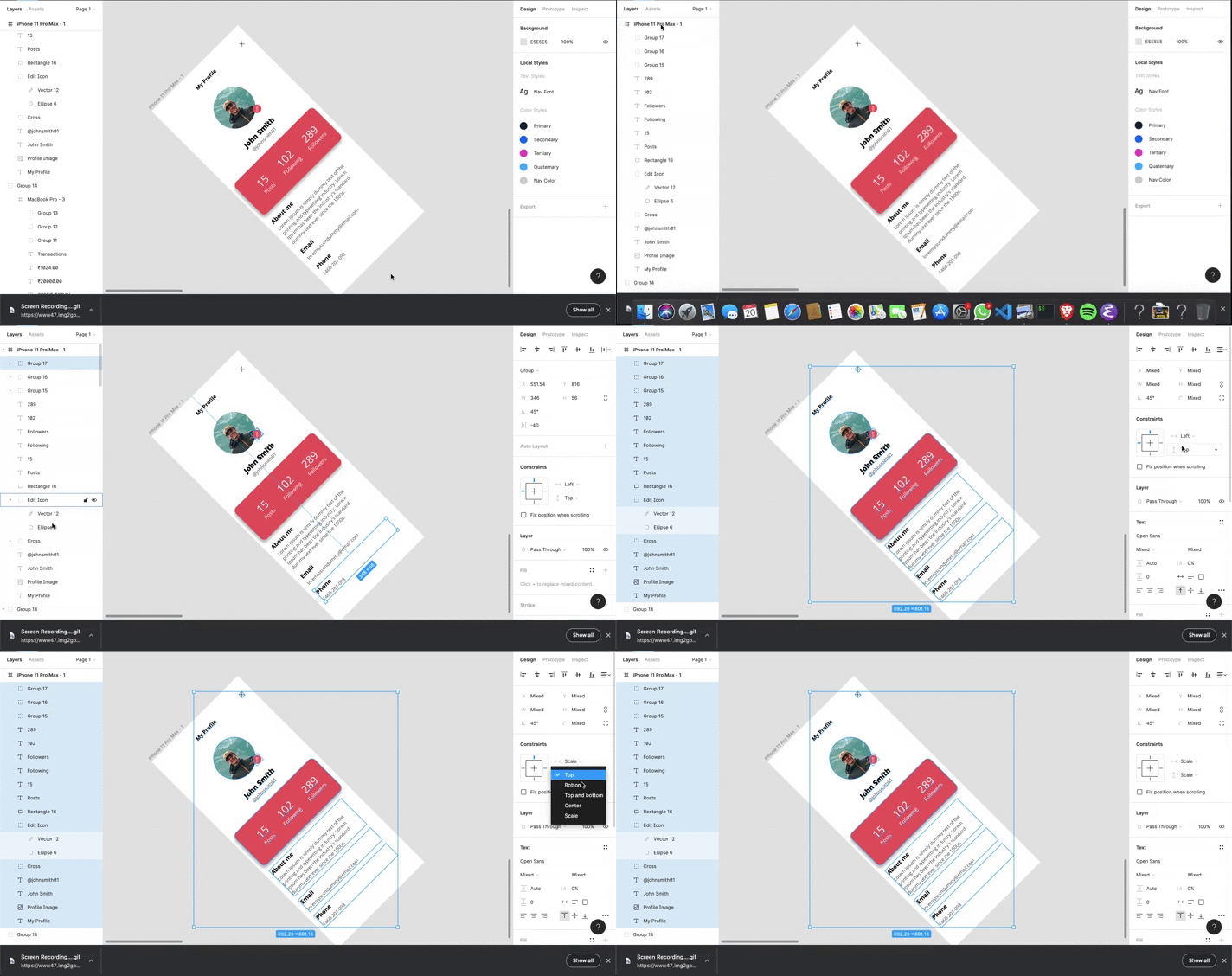
- Select all items inside the frame from the right panel and set the constraints to scale like so
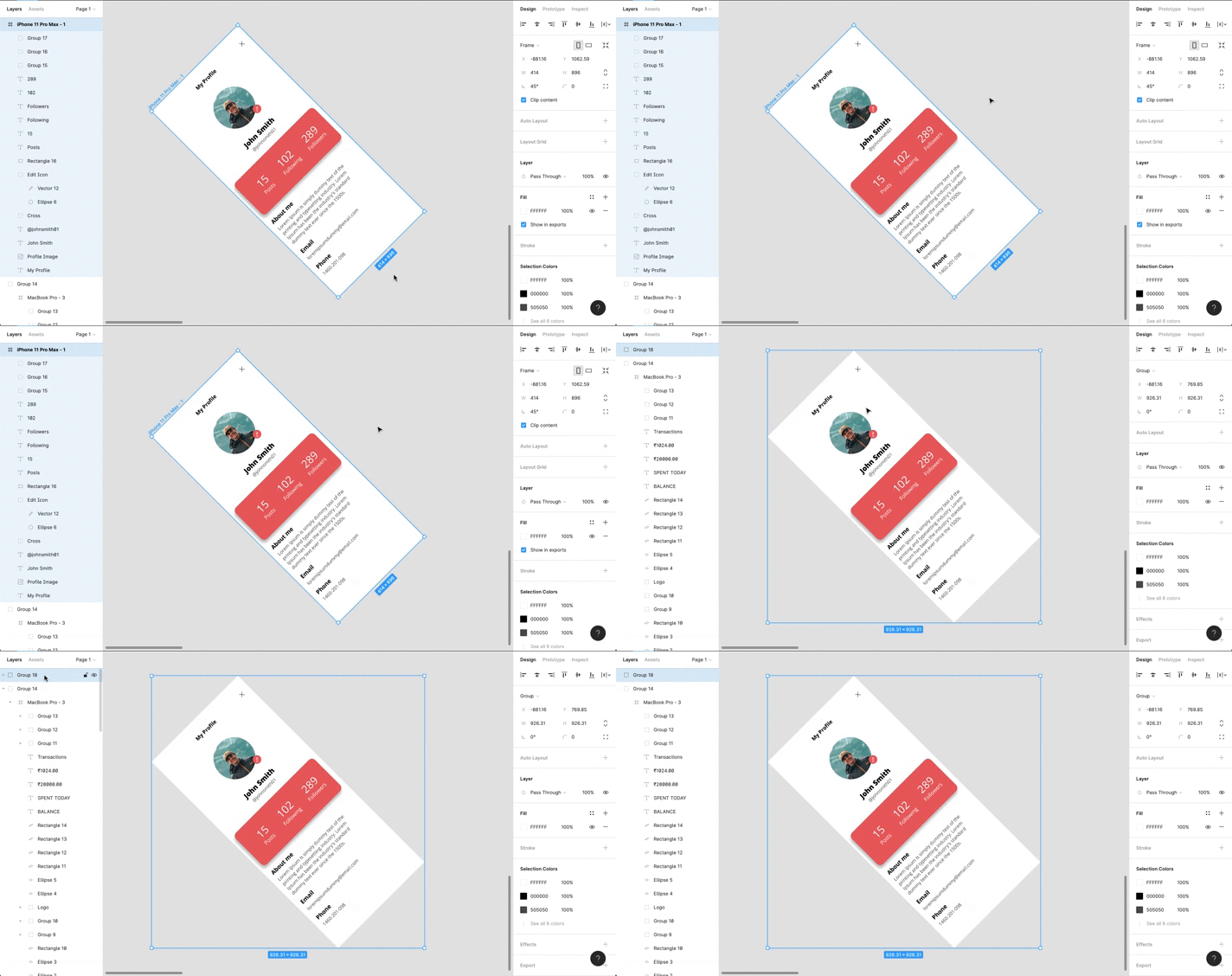
- Now select the frame like done in [Step 1](#step1) and make a group of the frame by doing `Command G` on MacOS or `Control G` on other OS's.
- Now, go to `H` on the left panel and type `57.73%` over there and see the magic 🥳
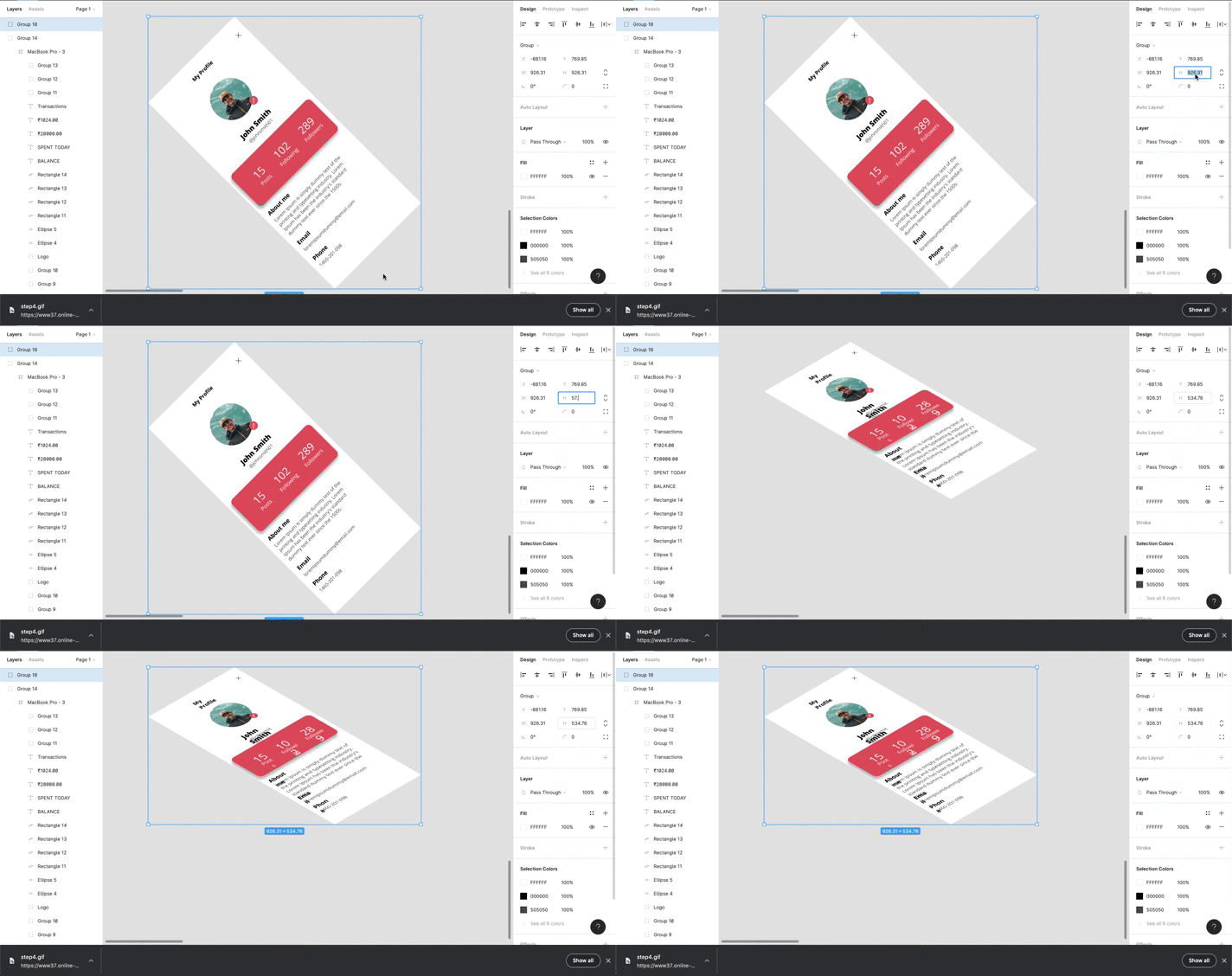
- Now, you would notice that the texts are not as well sized as they should have been. So we will have to tweak the font sizes a little bit.
> Note: The images, shapes and svgs, etc. would be well sized because of [Step 3](#step3)
At the end after tweaking your font sizes, you should get something like this

Now you can add a phone mockup and get this